Getting Started
Modules
Computer Programming for Linguists (CPFL) is a modular approach to learning how to program in Python, targetted to anyone with a background in linguistics. It currently consists of four modules that will teach you the basics of Python (variables, statements, conditionals, loops, lists). In the future, it will also contain material covering introductory computational linguistics.
flowchart LR
    A("Module A
 Values and variables")
    B("Module B
 Functions")
    C("Module C
 Conditional execution")
    D("Module D
 Iteration")
    E("Module E
 Strings")
    F("Module F
 Useful iterations")
    G("Module G
 More container types")
    H("Module H
 Working w/ text data")

    A --> B --> C --> D
    D --> E
    D --> F
    D --> G
    E --> H
    F --> H
    G --> H
Modules consist of some lessons, and some problem sets corresponding to those lessons. Problem sets are automatically graded so that you can check your progress as you go. We recommend that you do every problem set. At the end of each module is a test. Autograding the test and getting at least 80% will give you a password that you can use to access the next module.
Modules E and beyond are not yet implemented
Jupyter
Every lesson in CPFL is built as a Jupyter notebook. Jupyter notebooks are convenient ways of representing text information right alongside Python code.
If you’re a student at the University of Toronto, then you can do everything right from your browser.
- Go to https://datatools.utoronto.ca/
- From the three options you see, choose “JupyterLab”
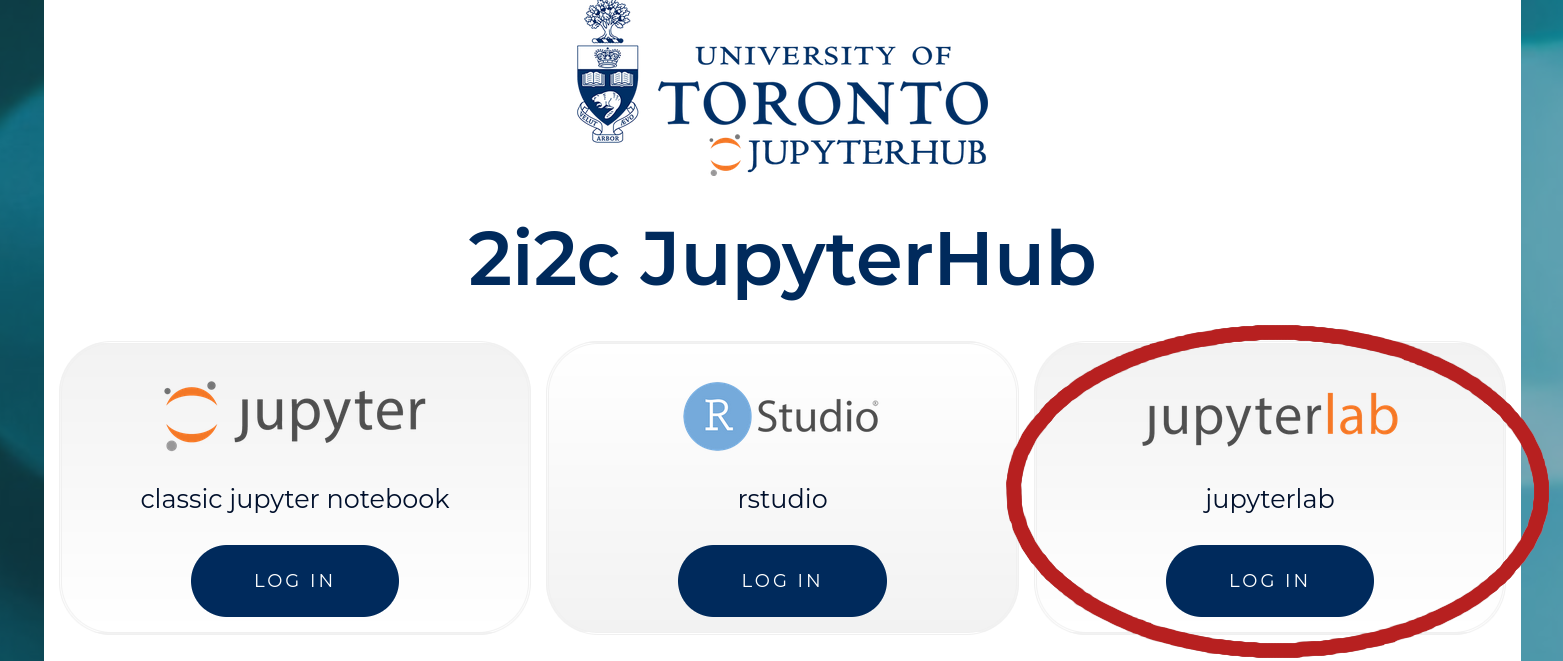
- Log in with your UTORid
- Download this notebook
- Click the upload button (from the image below)
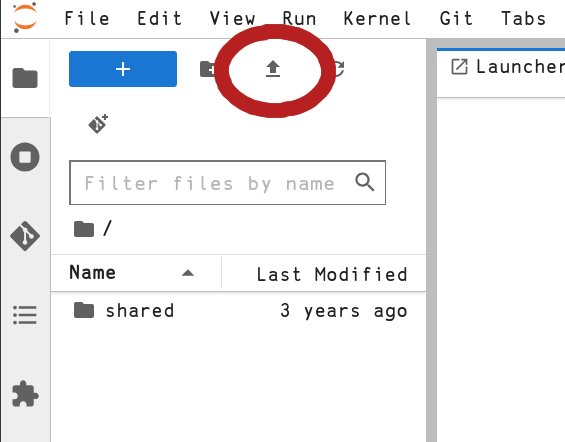
- Select the notebook you just downloaded
You should now see the notebook Hub.ipynb displayed in the right sidebar
(file-browser). Double click on the notebook to open it. Once you’ve opened
it, follow the instructions in the notebook to start on module A.
Configuring Jupyter
For some exercises, we might ask you to refer to a “line number”. To enable
these, press Shift+L. We’ll remind you of this in any exercises where we use
this.
No more configuring should be necessary for modules A through D. However, when more modules are released, you may want to return here for further instructions.
Downloading New Modules
(These instructions are repeated in Hub.ipynb)
For your first module, you should be able to simply press the “Restart the
kernel and run all cells” button at the top of your screen (see image).
 . Then, in the table showcasing the content for modules A
through D, click on module A lesson 1 to get started.
. Then, in the table showcasing the content for modules A
through D, click on module A lesson 1 to get started.
For each next module, you’ll get a password from passing the previous
end-of-module test. Specifically, when you autograde the notebook and get a score of 4/5, at the bottom of the output you should see the password in quotation marks. Enter this into the password = "..." variable, save the
file with Ctrl+S, and then run all cells. This will download the next module for you.
Autograding
The autograder is a way to check your progess. In any notebook that can be autograded, you should see a cell with some code and a comment saying “run this cell to autograde this notebook”. Running this cell might take a while, but you should see as output below which questions you got wrong, what your final score was, and some hints on what might fix your errors.
Remember to always save your notebook with Ctrl+S before running the
autograder.